Polish
  English
  Arabic
  Chinese
  French
  German
  Portuguese
  Russian
  Spanish
  Italian
W przypadku masowej produkcji tekstyliów B2B i dekoracji odzieży, marnotrawstwo odzieży bezpośrednio wpływa na marże operacyjne. Nieoczekiwane efekt ducha, przesunięcie papieru transferowego lub błąd prasy termotransferowej w przypadku wysokiej jakości półproduktu może szybko zmniejszyć marżę zysku.
Niezależnie od tego, czy prowadzisz komercyjną drukarnię, zarządzasz realizacją zamówień na produkty promocyjne, czy zarządzasz halą drukarską w przemyśle, umiejętność odzyskiwania lub ponownego wykorzystywania wadliwych ubrań jest niezbędna do kontrolowania liczby odpadów.
Poniżej przedstawiamy główne przyczyny typowe błędy sublimacji, praktyczne procedury ratunkowe i jak integrować hybrydowe maszyny cyfrowe.
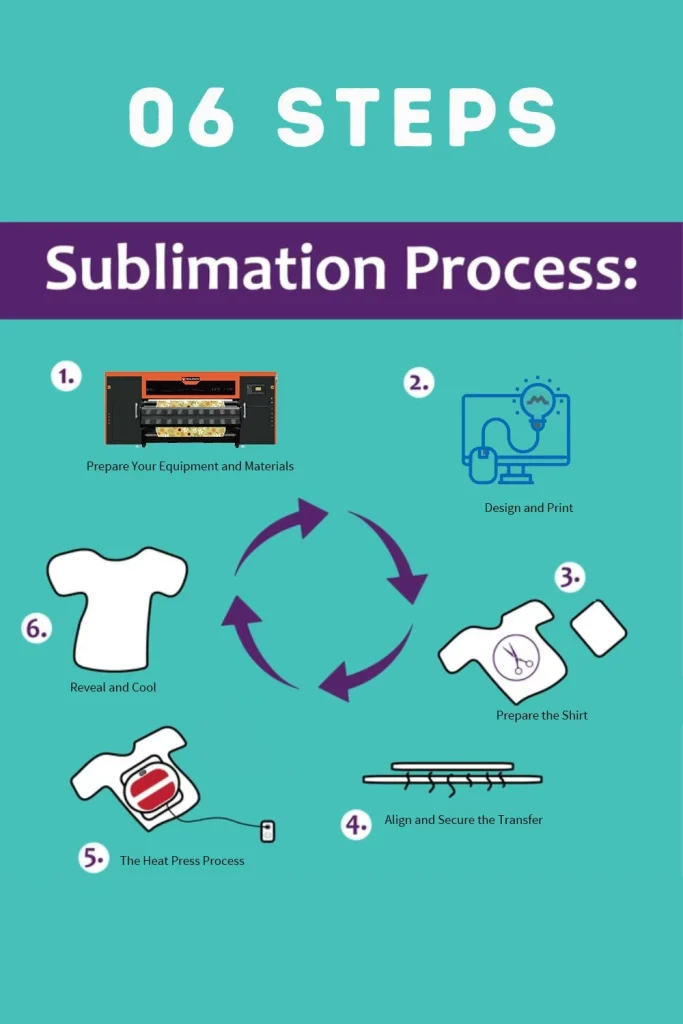
Dlaczego koszulki sublimacyjne są tak nieudane?
Przed przystąpieniem do naprawy, warto zrozumieć, dlaczego występują problemy z sublimacją. Barwnik sublimacyjny Łączy się prawidłowo z włóknami poliestrowymi (lub powierzchniami powlekanymi polietylenem) tylko wtedy, gdy spełnione są cztery warunki: temperatura, ciśnienie, czas i kompatybilność z tkaniną. Jeśli którykolwiek z tych warunków nie działa, wydruk ucierpi. Najczęstszymi winowajcami są:
- Nieprawidłowa temperatura prasy termicznej lub nierównomierna płyta grzewcza
- Zbyt małe lub zbyt duże ciśnienie
- Zbyt krótki lub zbyt długi czas naciskania
- Ruch papieru lub koszuli podczas prasowania (powoduje to „efekt ducha” – słaby, podwójny obraz)
- Materiał z nadmierną zawartością bawełny (sublimacja wymaga wysokiej zawartości poliestru, najlepiej 65% lub więcej)
- Wilgoć w koszulce lub wilgoć w pomieszczeniu
- Zużyta lub niskiej jakości okładka prasy termicznej lub brudna płyta
- Problemy z drukarką lub tuszem, takie jak pasma, zmiany kolorów lub zatkane dysze w samej drukarce
Gdy już będziesz wiedzieć, który z tych punktów dotyczy Twojej koszuli, będziesz mógł zdecydować, czy można ją naprawić, czy lepiej potraktować ją jako nauczkę.
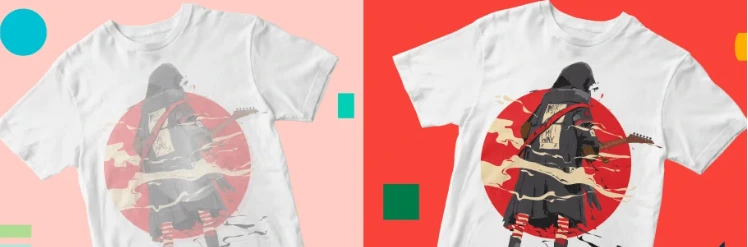
Rozwiązywanie problemów z defektami druku spowodowanymi przez sprzęt
Uporczywe powstawanie pasm, błędy podawania nośnika lub opadanie dyszy zwykle świadczą o ograniczeniach sprzętu, a nie o błędzie operatora.
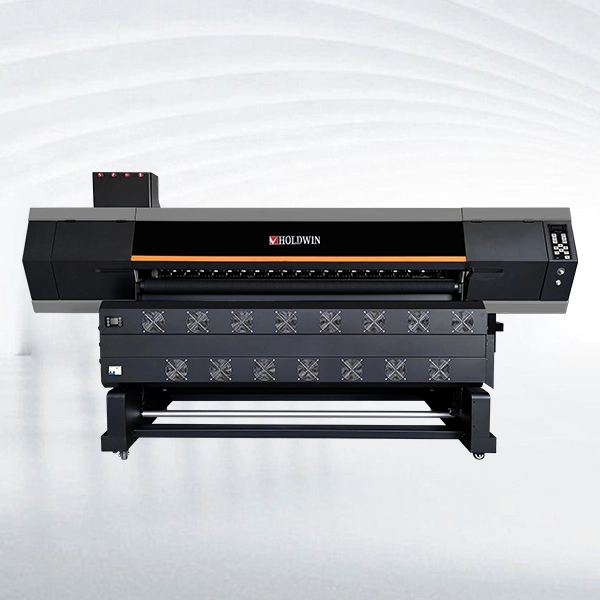
Do powtarzalnej pracy sublimacyjnej, HOLDWIN-1804 Wykorzystuje cztery głowice drukujące I3200-A1, o szerokości druku do 1820 mm i deklarowanej prędkości 180 m²/h w trybie jednoprzebiegowym i 120 m²/h w trybie dwuprzebiegowym. Automatyczne czyszczenie i nawilżanie, trzystopniowe nagrzewanie oraz kontrolowane podawanie papieru pomagają ograniczyć liczbę poprawek związanych z powstawaniem pasm i przesuwaniem papieru.
W przypadku większych wolumenów, Sublimacja HOLDWIN-1808 zachowuje format 1,8 m z ośmioma głowicami drukującymi, co pozwala na łatwą rozbudowę wydajności bez konieczności zmiany na szerszą maszynę.
HOLDWIN-2608: Zaprojektowana do szerszych układów, wyposażona w format 2,6 m, osiem głowic drukujących I3200-A1, automatyczne czyszczenie i precyzyjne podawanie nośników do długich serii produkcyjnych.
Wniosek
Ponowne wykonanie jest zazwyczaj bezpieczniejsze, gdy defekt obejmuje poważne smugi, stopione włókna, głębokie przypalenia, znaczną utratę kolorów lub proces korekcji, którego nie można powtarzać w sposób ciągły.
Profesjonalna produkcja sublimacyjna Nie chodzi o ratowanie każdej nieudanej koszulki. Chodzi o stworzenie procesu, który generuje mniej awarii. Jeśli analizujesz stabilność drukarki, obsługę nośników, konserwację lub przepływ pracy, pojemność, omów swój przepływ pracy produkcyjnej i wymagania sprzętowe przed skalowaniem do większych zamówień.