English
  Arabic
  Chinese
  French
  German
  Portuguese
  Russian
  Spanish
  Polish
  Italian
A printer profile for sublimation, also called an ICC profile, is super important. It helps make sure colors look the same every time you print. This profile adjusts for things like your printer, ink, paper, and material. It’s like a map that guides colors to look right. Zhiyu offers solutions that make color management easy. Their profiles are designed for industrial sublimation, ensuring vivid, reliable results for things like clothes, signs, and hard items.
| 💡 Newbie Guide: If you are just starting out, find out if a sublimation printer is a smart choice for beginners before you make your first investment.
What Is a Printer Profile for Sublimation and Why Should You Care?
Getting colors right in sublimation printing is a big deal. A printer profile for sublimation, or ICC profile, is a file that tells your printer how to show colors correctly. It works with your specific printer, ink, paper, and material. Without it, bright colors might look dull, or skin tones could look weird.
Sublimation printing is different from regular inkjet printing. The inks turn into gas when heated and stick to polyester materials. This process has lots of factors that change how colors look. ICC profiles fix these issues. They turn design colors (like RGB or CMYK) into instructions your printer understands.
Holdwin makes both sublimation and direct-to-textile printers. These machines are built for top performance and need precise profiles to keep colors steady across all prints.
| ✨ Precision Gear: For the best color accuracy, pair your profiles with our industrial Sublimation Printers.
How Do ICC Profiles Control Color in Sublimation?
Color management is the heart of great sublimation prints. ICC profiles act like translators. They connect your design software to the printer. This ensures what you see on your screen matches what you get on fabric or other materials.
An ICC profile looks at how your printer puts ink on paper with a certain ink set. It checks how those inks act during heat transfer. For example, do they get brighter? Do they change shade? Do they lose details? Without this fix, colors can shift in bad ways.
With the HOLIDWIN series printer, you can print a lot while keeping quality high and costs low.
| 🛠️ Expert Solutions: If profiles don’t solve your color banding, you may be facing a mechanical clog. Read our guide on common printing challenges and expert solutions to fix it fast.
Can Incorrect Profiles Ruin Your Output?
Yes, for sure. Using a wrong or generic profile can mess things up. You might get faded colors, weird lines in gradients, overly bright shadows, or dull highlights. For example, if your profile thinks you’re using coated paper but you’re printing on uncoated fabric, the colors will look wrong.
The profile’s performance also depends on things like room temperature and humidity during printing and heat pressing. Even small changes can affect how dyes work. That’s why you need profiles made for your exact setup, including the material you’re using.
| 🚀 Pro Tip: Make sure to read our guide on common sublimation mistakes to avoid to save time and money on wasted materials.
Should You Use Manufacturer Profiles or Create Custom Ones?
Manufacturer profiles are made in perfect lab settings with their suggested inks and papers. They’re okay to start with. But they might not match your real-world setup or materials.
Custom ICC profiles give you much better control. They’re built using data from your own printer, ink, and paper combo in your work environment. This means more accurate colors and fewer surprises when printing on clothes or panels.
To make custom profiles, you need tools like a spectrophotometer to measure color patches and software to create the ICC file. This process makes sure every part of your setup works together for the best results.
What Tools Are Needed to Build Reliable Custom ICC Profiles?
To make a solid custom printer profile for sublimation, you need specific tools:
Spectrophotometers Are Key for Measuring Colors Right
A spectrophotometer scans printed color charts. It records how each color looks after printing and transferring to the final material. This info is the base for your custom profile. It spots any color differences from what you wanted.
Profiling Software Turns Data Into ICC Files
After scanning with a spectrophotometer, the profiling software looks at the data. It builds an ICC file just for your setup. Good software lets you tweak things like gray balance or color brightness. You can even focus on getting skin tones right, which is super important for photos or fashion prints.
This process ensures every step—from design to final print—is precise. It gives you predictable colors every time you print.
| ✨ Model Spotlight: For the highest precision in color mapping, the HOLDWIN 604i series is engineered to maintain consistency even in high-volume production.
How Can You Simplify Color Management with Holdwin’s Solutions?
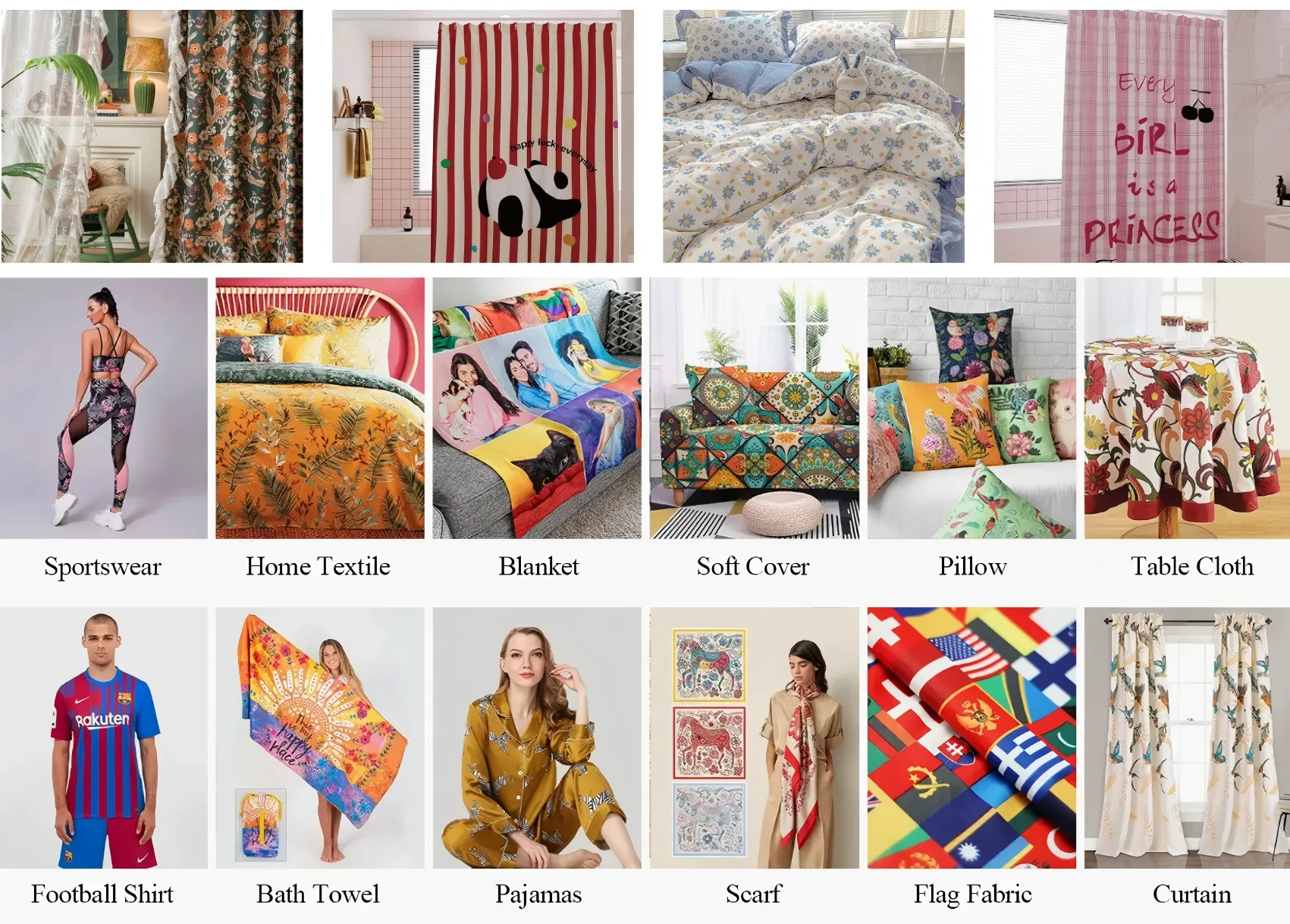
If you want to improve your sublimation work without getting stuck in techy details, Holdwin has great solutions. Holdwin supports many printers, including wide-format ones. Their systems work smoothly with different inks and materials used for soft signs or clothing. They’re perfect for printing on polyester shirts, home decor fabrics, sample pieces, canvas bags, pillows, scarves, flags, or textile gadgets.
How Do You Integrate Custom Profiles into Your RIP Software?
RIP (Raster Image Processor) software connects design files to your printer. It turns graphics into data that the printer can use, applying color fixes with ICC profiles.
To use Holdwin’s custom profile:
- Import the ICC file into your RIP software.
- Set it up in the media settings for specific print jobs.
- Adjust linearization curves if needed.
- Print test pages to check for smooth grays and gradients.
- Save settings as presets for future jobs.
This makes sure every print job uses the same color logic, no matter who runs the printer or what design is next.
| 🔍 Technical Insight: Learn more about the specific relationship between sublimation profiles and dye transfer performance to ensure your production remains top-tier.
How Do Holdwin Profiles Improve Consistency Across Complex Designs?
Sublimation can be tricky. Keeping grays neutral or skin tones natural is hard. Holdwin tackles these problems with advanced profiling methods made for each material type.
Their profiles make bright colors pop while keeping gradients smooth. This is key for photos or detailed drawings. They’re tested across different surfaces:
Polyester Fabrics Stay Sharp Without Overdoing Colors
Polyester is common in sublimation because it works well with dyes. But it can get too bright if not profiled correctly. Holdwin’s solutions balance colors. They keep details clear, like stitching or fabric texture.
Ceramics and Metal Panels Get Controlled Ink Spread
Hard surfaces need different ink settings than fabrics. Holdwin adjusts profiles so reds stay true and blacks stay deep, even after high-heat transfers onto mugs or signs.
What Maintenance Practices Help Sustain Profile Accuracy Over Time?
Even great profiles can lose accuracy if you don’t maintain them. Here’s how to keep things on track:
- Calibrate often: Check linearization weekly to keep grays steady.
- Control your space: Keep temperature and humidity steady in the print and press areas.
- Watch ink batches: Ink can vary slightly between batches. Re-profile if you switch suppliers.
These steps stop small issues from ruining big print runs. They also prevent problems with reorders months later, keeping clients happy.
Conclusion
Ready to upgrade your color game? Browse our latest Digital Printing Products or contact our team for a custom ICC setup.