French
  English
  Arabic
  Chinese
  German
  Portuguese
  Russian
  Spanish
  Polish
  Italian
DTF (Direct-to-Film) printing has significantly impacted garment decoration with its striking prints, versatility, and ability to manage detailed designs. However, the ink consumption and total printing costs can rise swiftly. If you are looking to refine your printing process and cut costs without sacrificing quality, you are in the right place.
In this article, we investigate actionable strategies to lower Encre DTF consumption and decrease your DTF printing costs while ensuring your results look sharp and professional.
Refine Your Printer Settings for Maximum Output
Your printer’s software is your initial defense against soaring costs. By examining the settings, you can greatly extend your Encre DTF supply.
- Fine-Tune Ink Saturation: High-density settings often lead to oversaturation and slow drying. Lowering ink limits by 5–10% in your DTF RIP software saves significant volume without a visible loss in quality. Always run “step wedge” tests to find the perfect balance between vibrancy and waste.
- Swap Solids for Halftones: Large color blocks are ink-heavy. Converting these to halftones—using tiny dot patterns—drastically reduces encre consumption while improving garment breathability and creating a softer feel.
- Strategic Material Selection: Ink , PET Film and Powder (Consumables)
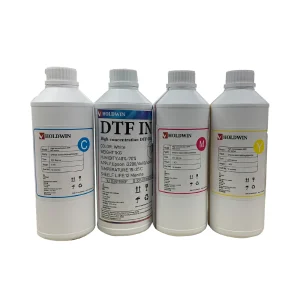
Switch to High-Concentration Ink: Utilisation Ultra High Concentration DTF Ink allows you to achieve deep, vivid colors with a much thinner layer of ink. Because the pigment density is higher, you can reduce your ink laydown in the RIP software, directly lowering your cost-per-print.
Invest in Premium DTF Film
It might be tempting to skimp on film, but ‘cheap’ film can turn out to be pricier due to its poor Encre DTF retention.
- Superior Coating: High-quality DTF films feature superior coatings that keep ink on the surface. This results in brighter colors with thinner ink applications and fewer costly reprints.
- Precision Transfers: Premium films release ink more effectively during the heat press phase. This ensures that every drop of ink you purchased actually transfers to the garment, reducing the need for costly reprints.
Optimize Adhesive Powder Application
Adhesive powder functions as the ‘glue,’ but using more isn’t always advantageous. Excess powder can absorb unnecessary moisture from the ink, leading to a thick, plastic-like texture.
- The Even Spread: Using an automated shaker or a fine-mesh manual sifter guarantees a thin, uniform layer. This prevents ‘clumping,’ which can result in uneven ink absorption and damaged prints.
- Reclaim and Reuse: Always use a collection tray when applying powder manually. Clean, uncontaminated excess powder can be recycled back into your containers, ensuring that not a single grain is wasted.
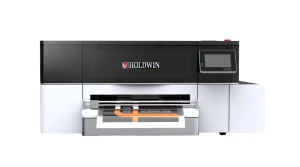
2. Upgrade to High-Efficiency Hardware: The Holdwin HW30
While software tweaks are vital, the efficiency of your hardware sets the ceiling for your savings. The Holdwin HW30 DTF Printer is engineered specifically to balance high-speed production with precision ink control. Unlike DIY conversions that suffer from frequent head-clogging and ink-wasting cleaning cycles, the HW30 features a stabilized ink system that ensures every drop is used effectively. By investing in professional-grade equipment like the HW30, you minimize manual errors and reduce material waste during setup.
- Scale Smart: Bulk Systems and Proactive Maintenance
Efficiency is not only about your printing practices; it also pertains to your purchasing habits and the protection of your hardware. Buying in larger containers (1L or 5L) facilitates better stock management. To truly master your workflow, it is also important to recognize and address common DTF printing mistakes that often lead to wasted consumables.
- Nozzle Check: Run a test pattern first thing. Identifying a single missing nozzle early prevents a full-page ruin later.
- Capping Station Clean: Wipe away dried Encre DTF buildup around the seal. A poor seal leads to dried-out heads overnight.
- Wiper Blade & Printhead: Gently use a lint-free swab and specialized cleaning solution on the wiper blade and around the edges of the print head.
By spending 10 minutes a day on a disciplined routine, you can cut total ink waste by 30% to 50%.
- Audit Your Color Management Strategy
One of the most invisible ways to lose money in Impression DTF is through poor color calibration. When your software doesn’t “speak the same language” as your printer, it often over-compensates by dumping excessive ink to reach a specific shade, leading to muddy prints and wasted revenue.
Creating a custom profile for your specific ink and film combination can reduce ink consumption by 10–20%. These profiles tell the printer exactly how much ink is needed to achieve a color—no more, no less.
Conclusion :
Reducing ink consumption et lowering DTF printing costs isn’t just about spending less—it’s about printing smarter. You can cut costs while maintaining high-quality prints by optimizing your designs, tweaking printer settings, maintaining your equipment, and choosing the right materials.
Questions fréquemment posées