English
  Arabic
  Chinese
  French
  German
  Portuguese
  Russian
  Spanish
  Polish
  Italian
Don’t let a bad print ruin your day. Here are the most common sublimation snags and how to dodge them. We’ve already solved these tricky printing puzzles for hundreds of others—let us do the same for you.
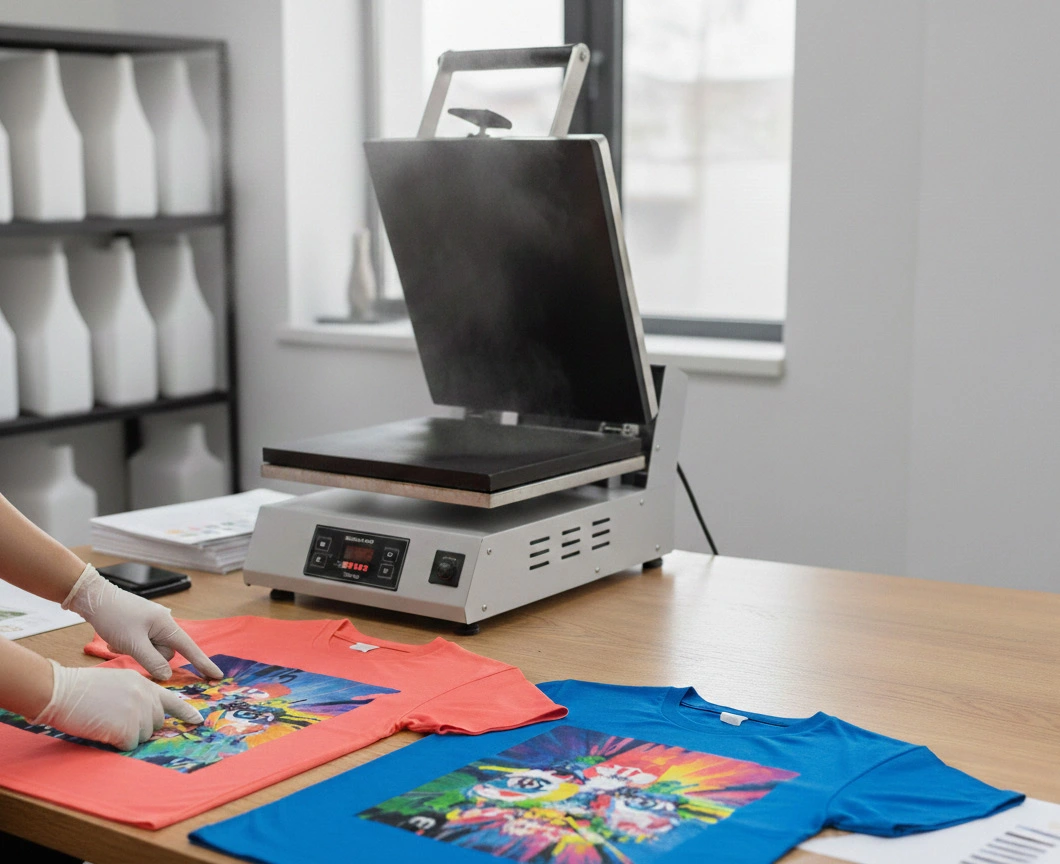
#1 – Incorrect Sublimation Temperature and Time Settings
When the temperature dips too low, sublimation ink just won’t do its thing, and if it gets too hot, you might end up ruining your substrate or getting a burnt image. Similarly, Excessive pressure may result in permanent ‘press lines’ or indentations, particularly on textile substrates. Conversely, insufficient pressure prevents complete ink sublimation, leading to faded or inconsistent color density.
- Tip: Always do a test print when experimenting with new products. Feel free to contact our technical team beforehand so we can provide the best advice for your specific machine!
| 🛠️ Fix Your Print Quality
👻 Fix Sublimation Ghosting: Stop wasting materials—learn how to eliminate blurry prints forever.
🎨 Perfect Color Consistency: The secret to matching screen colors to your final fabric prints.
🌡️ Heat Press Mastery: Master temperature and pressure settings to avoid scorched fabrics.
Standard Sublimation Heat Press Settings
| Substrate | Temperature | Time (Seconds) | Pressure |
| Polyester Fabric / Fabrics with < 30% Cotton | 255-410 °F / 124-210 °C | 35 – 80 | Medium – High |
| Mugs | 350-375 °F / 177-191 °C | 150 – 180 | Medium – High |
| Mouse Pad | 380-400 °F / 193-204 °C | 40 – 60 | Medium |
| Bags / Tote Bags | 380-400 °F / 193-204 °C | 55 – 70 | Medium |
| Pillows | 380-400 °F / 193-204 °C | 60 – 70 | Light – Medium |
Key details to watch for:
- The “Yellowing” Sign: If your white polyester fabric starts to turn yellow or brown, your temperature is too high or the time is too long.
- Ghosting: If you move the paper while it is still hot, the lingering gas can create a “shadow” or ghost image. Use heat-resistant tape to keep everything locked in place.
- Cold Spots: If your image is faded only in certain corners, your heat press may have uneven heating elements or you are using insufficient pressure.
#2 – Not Using the Right Sublimation Ink
Utilizing non-sublimation or incompatible inks may lead to low-quality prints and clogged printheads.
- Tip: Always utilize sublimation inks that are specifically tailored for your printer model. Additionally, Always monitor ink levels through your printer software and replace cartridges as needed before they run out completely.
#3 – Using Incorrect Sublimation Paper
Not every sublimation paper is the same, and choosing the wrong one can result in various problems, including inadequate ink transfer, ghosting, and bleed-through.
- Tip: Ensure that you are using a premium sublimation paper that is tailored for the specific substrate you are printing on.
| 💡 Build a Better Setup:
🚀 Starting a Business Guide: Avoid costly business mistakes with our essential startup checklist.
🐣 Is Sublimation for You?: A breakdown of costs, setup, and the learning curve for new users.
✨ Must-Have Printer Features: Learn what technical specs to look for to ensure professional results.
#4 – Don’t Rush the Sublimation Transfer Reveal to Prevent Ghosting
When you extract the product and take off the sublimation paper significantly impacts your end result.
- Tip: After transferring your design to the substrate, be sure to let the item cool all the way down before you handle it or remove it from the heat press.
#5 – Neglecting Proper Sublimation Color Management and ICC Profiles
If your printed transfers lack vibrancy, it might be due to low ink levels or ineffective color management.
- Tip: Take a moment to create a color-managed workflow. Plus, make sure you have the correct color profile set up.
Think of an ICC (International Color Consortium) profile as the “secret recipe” for your printer. As explained in our guide on why printer profiles matter , this file acts as a translator between your computer screen and your printer.
#6 – Failing to Pre-Press Sublimation Garments or Substrates
Moisture trapped in fabric can be a hidden enemy in sublimation.
- Tip: Clean your surface to ensure a perfect ink bond.
- For Hard Surfaces: Wipe with a lint-free cloth and isopropyl alcohol to remove oils and dust that cause spots.
- For Textiles: Use a lint roller to remove debris, then pre-press for 5 seconds to flatten fibers and vent moisture. This prevents steam-related “ghosting” and ensures vibrant colors.
Bonus Tip: Always Use a Dedicated Sublimation Oven, and reserve it solely for sublimation tasks. Never use the same oven for food and sublimation. Sublimation ink releases toxic fumes when heated, which can contaminate your food oven and pose health risks.
Frequently Asked Question: